Local SEO
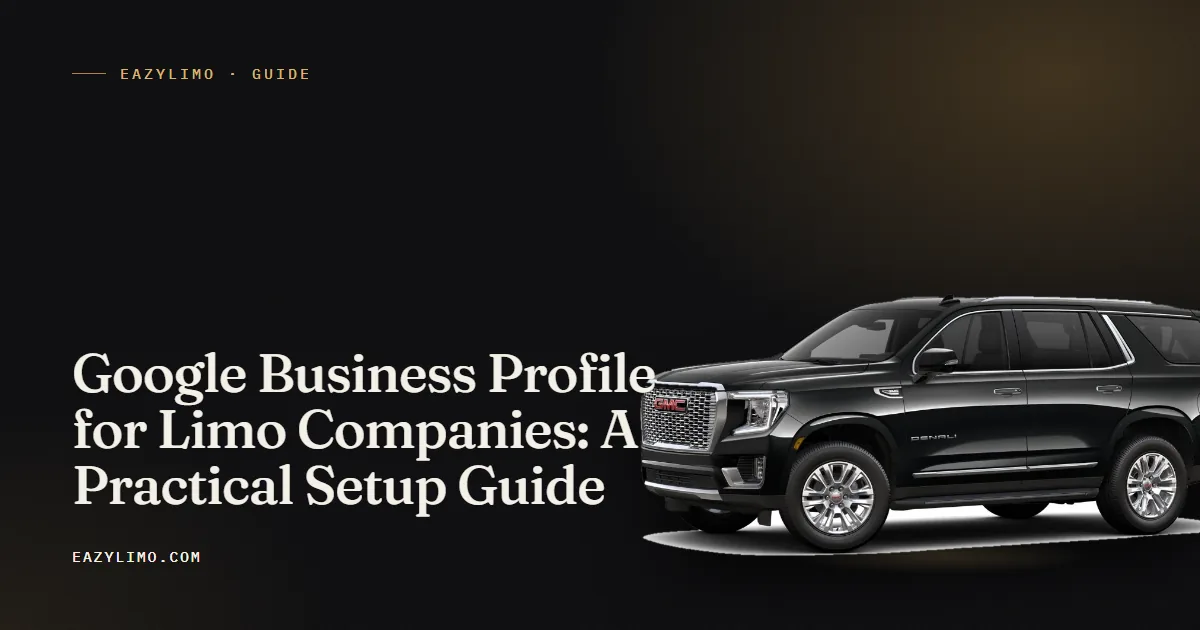
Google Business Profile for Limo Companies: A Practical Setup Guide
How to set up and run a Google Business Profile for a limo or chauffeur company that picks customers up, covering service areas, categories, photos, reviews, posts and staying clear of suspensions.
EazyLimo Team 9 min read
When someone searches "limo service near me" or "airport car service" on their phone, the first thing they often see is a small map with three businesses under it. Those listings come from Google Business Profile. For a small limo company, that free profile can bring in more calls than a paid ad, as long as it is set up correctly and kept active.
This guide walks through the setup for a limo or chauffeur company that picks passengers up at their location rather than serving them at an office. It covers the settings that matter, what to put in each section, how to collect reviews without awkward conversations, and the mistakes that tend to get profiles suspended.
Why the profile matters for a limo company
Most limo customers search with local intent. They want a car in their city, at their airport, on a specific date. Google uses signals like relevance, distance and prominence to decide which local businesses to show. Your profile feeds all three: the categories and services describe what you do, the service area tells Google where you work, and reviews and activity help show you are an established, trusted operator.
A good profile also does sales work before the phone rings. A passenger comparing three operators will look at your photos, read a few reviews, check that you answer the phone and then click through to your website. If each of those steps looks professional, you win more of those comparisons.
Set it up as a service-area business
Start at business.google.com and sign in with a Google account you control long term. Use a business account rather than a personal one that might get lost if you change phones or email providers.
Hide your address if customers do not visit you
Most small limo operators run the business from home or a garage. Passengers never come to that address. In that situation, the general practice is to set the business up as a service-area business: you still enter an address for verification, but you choose not to show it publicly. Showing a home address as if it were a storefront is a common cause of problems. Google updates its guidelines from time to time, so read the current rules for service-area businesses before you finish this step.
Set a realistic service area
Add the cities, counties or regions you actually serve. Keep it realistic. If you are based in one metro area and only occasionally drive to a city three hours away, list the metro area and its surrounding towns, not the whole state. A tight, honest service area tends to match how people search and avoids setting expectations you cannot meet.
Complete verification
Google will ask you to verify that the business is real. The method varies and can include a video showing your vehicle, business documents and signage or tools. Have your business registration, a clear view of your vehicle and any branded items ready. Do not create a second profile while waiting; duplicate listings cause more trouble than a slow verification.
Choose categories and list your services
Your primary category carries the most weight. Choose the one that describes the heart of your business, which for most operators is a limousine service category. Then add a few secondary categories only if they are true. Common options include chauffeur service or airport shuttle service, but check the list inside the dashboard, because category names change over time.
Next, fill in the services section. Write each service the way a customer would describe it, with a short plain description:
- Airport transfers: pickups and drop-offs at the airports you serve, with flight tracking or meet and greet if you offer it.
- Hourly chauffeur service: by-the-hour bookings for errands, meetings or nights out, with your minimum hours.
- Wedding limo: ceremony and reception transport, with what is included.
- Corporate car service: executive travel, roadshows and account billing.
- Point to point rides: one-way trips across town or between cities.
- Special events: proms, concerts, sports events and birthdays.
Keep descriptions accurate. If you do not offer a party bus, do not list it just because people search for it.
Photos that actually help
Photos are one of the easiest ways to look more established than you are. Passengers want to know what will show up at their door. Aim for real, current photos taken in good light, not stock images.
- Each vehicle from the front three-quarter angle, clean and outside in daylight.
- The interior of each vehicle: seats, legroom, any water or charging you provide.
- You or your chauffeurs in uniform next to the vehicle, if you are comfortable with that.
- Your logo and a cover image that shows your best vehicle.
- Occasional event photos, such as a decorated car for a wedding, with the couple's permission.
Add a few new photos every month or two. When you replace a vehicle, remove the old photos so customers are not surprised by a different car.
Get reviews steadily, not in bursts
Reviews influence both ranking and the decision to call you. The goal is a steady flow of honest reviews from real passengers. A sudden spike followed by months of silence looks odd to customers and does not help much.
Make asking easy
Create a short review link from your profile dashboard and keep it handy. Two simple tools work well for limo operators:
- A short link you can text. Something like yourdomain.com/review that forwards to your Google review form. Send it in a thank-you text the same day as the trip.
- A printed QR card in the vehicle. A small card in the seat pocket or on the console that says "Enjoyed the ride? Scan to leave a review." Passengers can scan it on the way home from the airport while the ride is fresh.
When to ask
The best moment is right after a trip that went well: a smooth airport run, a wedding that ran on time, a corporate client who thanked the chauffeur. Ask every customer rather than choosing only the ones you expect to be positive. Offering discounts or gifts in exchange for reviews is generally against platform rules, so keep the ask simple and honest.
Reply to every review
Thank people for positive reviews in a sentence or two and mention the service, for example "Thanks for choosing us for your airport transfer." For a negative review, stay calm, acknowledge the issue, explain what you changed and invite them to contact you directly. Future customers read your replies as much as the reviews.
Use posts and questions to stay active
Profile posts are short updates that can appear on your listing. They will not transform your ranking, but they show the business is active and give customers useful information. Ideas that suit a limo company:
- Prom and wedding season availability, posted a couple of months ahead.
- A new vehicle in the fleet, with photos.
- Holiday airport rush reminders asking customers to book early.
- A link to a helpful blog post, such as your guide to airport pickups.
If your profile shows a questions section, check it regularly and answer any question clearly. You can also add answers to the questions you get asked on the phone every week, such as whether you track flights, how early to book and which payment methods you accept. Google has changed how this feature works over time, so use it if it is available to you.
Keep your name, address and phone consistent
NAP stands for name, address and phone number. Search engines compare your details across the web. If your website says one phone number, your profile says another and an old directory lists a third, it creates doubt. Pick one version of each and use it everywhere.
| Where it appears | What to check |
|---|---|
| Google Business Profile | Exact business name, main phone, website link, service area |
| Your website footer and contact page | Same name and phone, same spelling and format |
| Facebook, Instagram and Yelp | Name, phone and link to your website |
| Wedding, event and local business directories | Remove old numbers and closed addresses |
| Invoices, email signature and vehicle decals | Same name customers will search for |
Your business name should be your real trading name. Adding keywords like "Best Airport Limo Chicago" when that is not your registered or trading name is one of the most common reasons listings get flagged.
Link the profile to your booking page
Every click from your profile to your website is a warm lead. Do not send it to a page that makes people hunt for a way to book. Link to a page where a booking or quote form is visible without scrolling, and make sure it works well on a phone, because most of these visitors are on mobile. Our guide to limo website design covers what that page should include.
If you have airport or city pages on your website, they also help your profile, because they reinforce the same service areas you listed on Google. The limo SEO basics guide explains how the profile and the website work together.
This is one place where EazyLimo is built for the job: every site includes a home page with the booking form above the fold, airport and city pages, and a built-in /review short link with a printable QR card for your vehicles. You can see how it looks on the live demo site.
Avoid common suspension risks
Suspensions are stressful because your listing can disappear while you sort it out. Most problems come from a short list of avoidable mistakes:
- Keyword stuffing the name. Use your real business name only.
- Showing a home address as a storefront. Use service-area settings if customers do not visit.
- Virtual offices or mailbox addresses. These are generally not accepted as a business location.
- Duplicate profiles. One business, one profile. Merge or remove old ones rather than creating new ones.
- Frequent big edits. Changing name, category and address all at once can trigger a review. Make changes gradually and only when needed.
- Fake or incentivized reviews. Never buy reviews or have friends post them.
If your profile is suspended, read the notice carefully, fix the cause, gather documents that prove the business is real and follow the official reinstatement process described in the Google Business Profile help center.
Stay safe with a simple monthly routine
Once the profile is set up, a short routine keeps it accurate, active and working:
- Reply to every new review.
- Add two or three new photos.
- Publish one or two posts about seasonal services or updates.
- Check that hours, phone and website link are still correct.
- Look at the performance numbers for calls, website clicks and searches, and note any changes.
For more ideas on turning that visibility into trips, see how to get more limo bookings.
A strong Google Business Profile gets you found, but the website behind it is what turns a search into a paid trip. If you want a limo website with online booking, airport and city pages and review tools already in place, EazyLimo builds it for you: pay once and own it (founding price $499 for the first 25 operators, then $999), or $79 a month. Take a look at the features and decide if it fits your business.